
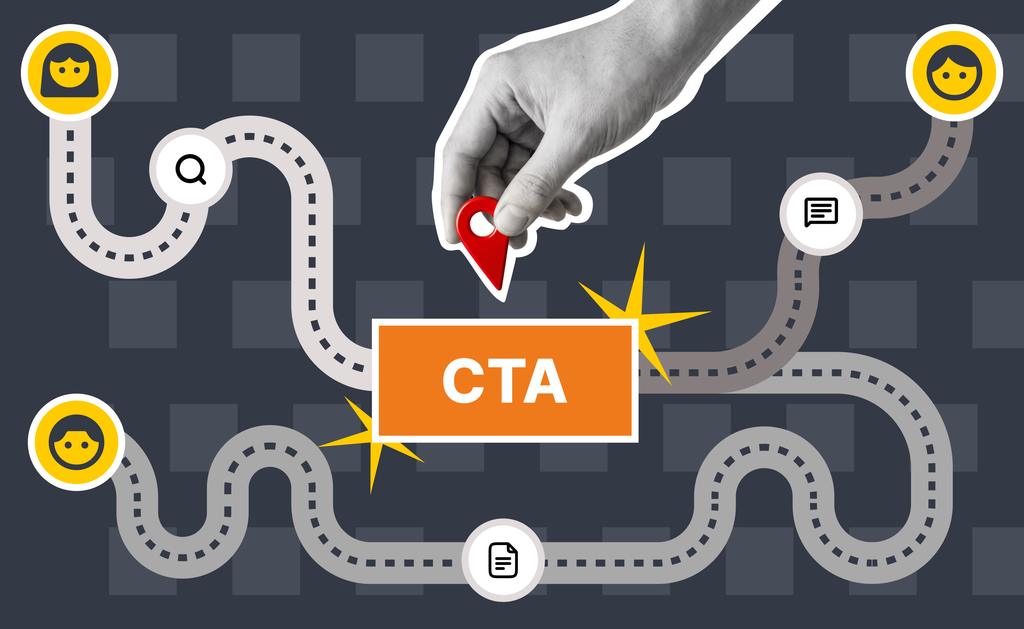
Content mapping is the process of organizing your website or app content to match your audience’s specific needs at each stage of their buying journey.
Visitors are coming to you with a goal in mind. They might be researching a solution, comparing vendors, looking for support, wanting to contact your team or ready to buy. Content mapping helps ensure the information they need is readily available when they need it.
Without a content map, website and app experiences tend to grow organically. New pages get added, navigation expands and content is written for departments instead of your visitors. Over time, visitors are left searching for answers instead of finding them.
Why Content Mapping Matters
People don’t consume websites page by page. They follow a path. A good content map aligns your content with this path.
A visitor may land on a blog article from a search engine, navigate to a service page, read a case study and finally submit a contact form. Each step helps answer another question and builds confidence in your offerings and your organization.
When content is disconnected, users have to work harder to move forward. Important information is buried, related content is difficult to discover and opportunities to build engagement are lost.
Content mapping removes that friction.
Instead of thinking about individual pages, think about the complete experience. Every page should answer a question while naturally guiding users to the next piece of information they need.
Supporting Content Mapping Through UI Design
A content strategy is only effective if the interface makes it easy to navigate. Your User Interface (UI) plays a critical role in helping users move through the content you’ve mapped.
Here are five ways your UI can support a better content experience.
Create Clear Navigation
Navigation should reflect how users think, not how your organization is structured.
Use familiar labels, group related topics together and keep your primary navigation focused on the most important destinations. When visitors know where to tap or click, they’re more likely to continue exploring.
Surface Related Content
Don’t let valuable content exist in isolation.
Related articles, recommended resources and “next step” links help visitors continue learning without having to ‘start over again’. These connections reinforce your content map and encourage deeper engagement.
Make Search Work Harder
Some visitors prefer to search instead of browse.
A well-designed search experience with relevant results, filtering and autocomplete helps visitors quickly locate what they’re looking for. For websites with a large footprint, search often becomes one of the most valuable navigation tools.
Use Contextual Calls-to-Action
Every page should give users an obvious next step.
That doesn’t always mean asking for a sale. Sometimes the next action is reading a case study, downloading a resource or exploring another service. Calls-to-action should match the visitor’s level of intent rather than pushing everyone toward the same destination.
Build Consistent Page Templates
Consistency helps users understand where to find information.
When service pages, blog articles and resource pages follow similar layouts, visitors spend less time learning the interface and more time consuming your content. Predictable structure also makes future content easier to create and maintain.
Bringing It All Together
Content mapping is about making the content you already have and the content you will soon create easier to discover, understand and use.
When content strategy and UI design work together, visitors spend less time searching for information and more time moving toward meaningful actions. This leads to better engagement, stronger conversions and an experience that continues to improve as your content grows.
If you would like help with your website or app project, contact us today.